
Let me describe your WiFi situation and see how close I get.
You have a router somewhere in your house — a closet, a corner of the living room, wherever the cable company’s technician decided to put it six years ago when you first moved in. Most of the house gets decent signal. One room, usually the one you actually use the most — the bedroom, the home office, the kitchen — gets two bars and a specific kind of loading spinner that only appears when you’re on a deadline. You’ve rebooted the router a few times. It helped for a day. The problem is structural, not fixable by rebooting, and you have been tolerating it for longer than you should have.
This is the situation mesh WiFi exists to solve. Not “faster internet” — your internet plan is probably fine. The problem is that a single router, no matter how powerful, cannot reliably push signal through walls and floors and the electromagnetic chaos of a house full of appliances and other people’s networks. Mesh systems add two or three nodes that talk to each other, blanket the whole space, and hand your devices off seamlessly as you move between rooms. The technology is not new, but the price has dropped enough that in 2026 there’s no good reason to still be operating on a single router if you live in anything larger than an apartment.
The TP-Link Deco XE75 3-pack is around $180-220 and is what I’d tell most people to buy. Before I explain why, I need to tell you about the thing hovering over this recommendation like an uncomfortable relative at a family dinner.
The TP-Link situation, because you need to know
In late 2024 and through 2025, the U.S. government — specifically the Commerce, Defense, and Justice Departments — began investigating TP-Link over national security concerns related to its ties to China. The Commerce Department proposed barring future sales of TP-Link products. CISA issued warnings about vulnerabilities in TP-Link routers actively being exploited. Congressional committees urged Americans to replace TP-Link hardware. Buy TP-Link Deco XE75 AXE5400: https://amzn.to/4tSLUl8
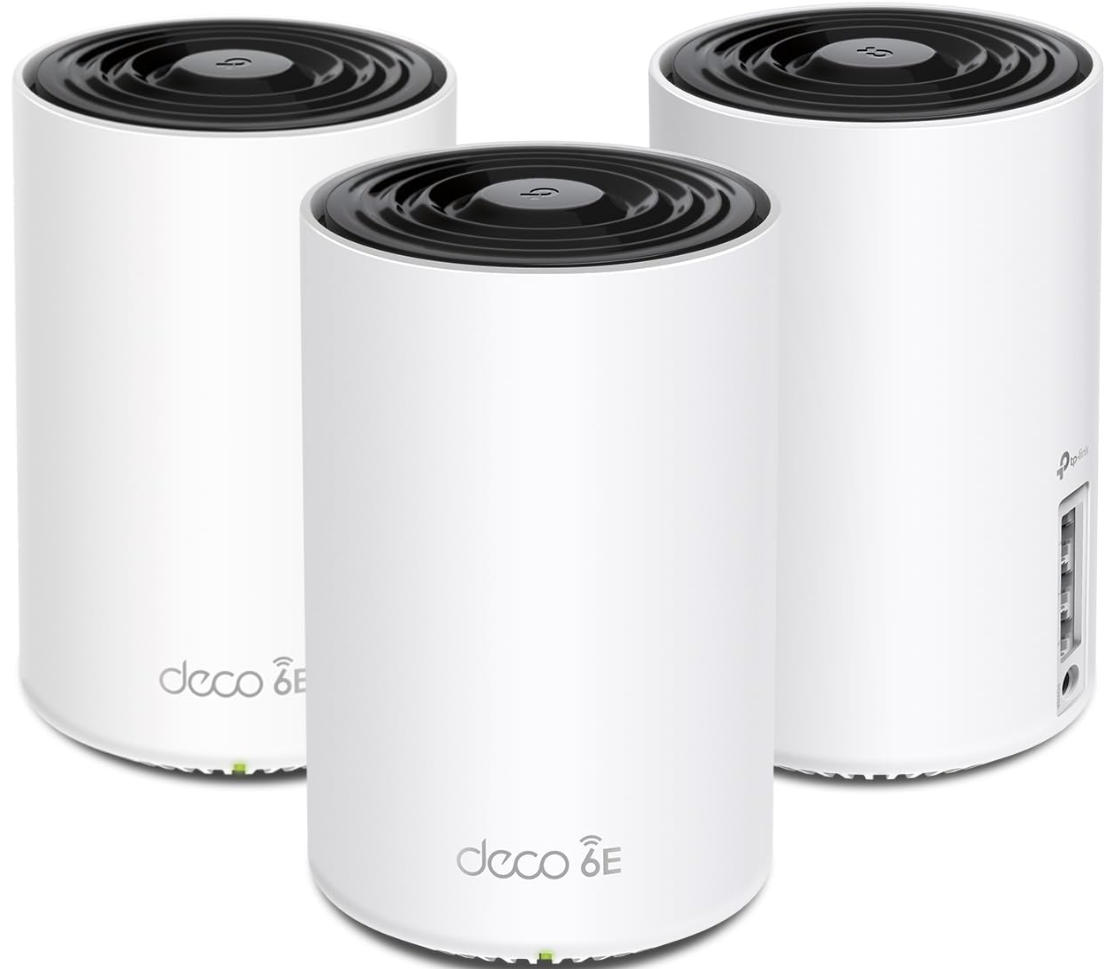
As of May 2026, no ban has been enacted. TP-Link Systems, its U.S. entity incorporated in Irvine, California, disputes the security characterizations and continues to sell products through Amazon and major retailers. PCMag and other major outlets have maintained their recommendations while noting the concerns.
Here’s my honest take: the vulnerability concerns are real, though cybersecurity experts note that routers from many companies contain exploitable flaws and most were targeted because of their market share, not unique insecurity. The geopolitical question — whether TP-Link’s Chinese parent company has access to data flowing through your home network — remains genuinely unresolved. TP-Link Systems says no; the U.S. government says it’s concerned enough to consider a ban.
What this means practically: if you work in a sensitive field, handle classified information at home, or have a higher-than-average threat model, the uncertainty around TP-Link is a real reason to look at Eero or Netgear Orbi instead, even at higher cost. If you’re a regular household trying to get WiFi to reach the back bedroom, the risk profile is different and the value proposition is compelling.
I’m telling you this because most reviews either ignore it entirely or mention it in a brief disclaimer. I think it’s a real factor in the decision and you should weigh it yourself with full information.
What mesh WiFi actually does that your current router doesn’t
A standard router broadcasts from a single point. The signal weakens with distance and degrades further through walls, floors, and interference from neighboring networks. By the time it reaches a room at the far end of your house, you’re down to a fraction of the original speed.
Mesh systems place multiple nodes throughout your space, each broadcasting at full strength. Your phone connects to whichever node is closest and strongest, handing off automatically as you move. The nodes communicate with each other via a dedicated backhaul — on tri-band systems like the Deco XE75, this backhaul runs on the 6 GHz band specifically, leaving the 2.4 GHz and 5 GHz bands fully available for your devices. This is meaningfully better than dual-band mesh systems, which use the same bands for both device connections and node-to-node communication, creating a bandwidth competition that slows everything down.
The result in practice: devices that were getting 50 Mbps in the far bedroom get 300+ Mbps. Video calls that were dropping frames in the kitchen stabilize. The loading spinner in the home office disappears.
The Deco XE75 specifically
The XE75 is a tri-band WiFi 6E system. A 3-pack covers up to approximately 7,200 square feet — enough for most single-family homes with room to spare for multi-level coverage. Each node has three Gigabit Ethernet ports for wired connections, which matters if you have a desktop, a smart TV, or a gaming console that benefits from a direct cable.
Setup runs through the Deco app on iOS or Android. You plug the first node into your modem, open the app, follow the instructions, place the other nodes, and the mesh forms automatically. In my experience this takes about 20 minutes for a 3-node system and doesn’t require any networking knowledge. The app walks you through node placement with signal strength indicators so you know when a satellite is too far from its neighbor.
The Deco app handles everything afterward: device management, parental controls, guest networks, speed tests per device, and firmware updates. TP-Link’s HomeShield security is included in a basic free tier that covers network scanning and content filtering. The paid HomeShield Pro (~$5/month) adds intrusion prevention, deeper parental controls, and a detailed analytics dashboard. The free tier is adequate for most households.
One real limitation: the Deco app is not a power user’s tool. Advanced settings — custom DNS, detailed firewall rules, VLAN configuration — are limited compared to what Netgear Orbi or standalone routers expose. Networking enthusiasts will find this constraining. For the intended audience of “people who want good WiFi and don’t want to think about it,” it’s exactly right.
How the competition actually stacks up
| TP-Link Deco XE75 | Amazon Eero Pro 7 | Netgear Orbi 770 | Google Nest WiFi Pro | |
|---|---|---|---|---|
| Approx. price (3-pack) | ~$180–220 | ~$380–420 | ~$500–600 | ~$300–350 |
| WiFi standard | WiFi 6E | WiFi 7 | WiFi 7 | WiFi 6E |
| Coverage (3-pack) | ~7,200 sq ft | ~7,500 sq ft | ~9,000 sq ft | ~6,600 sq ft |
| Backhaul band | Dedicated 6 GHz | Auto-selected | Dedicated band | Dedicated 6 GHz |
| Ethernet ports/node | 3 × Gigabit | 2 × Gigabit | 4 × Gigabit | 2 × Gigabit |
| App quality | Good, simple | Excellent | Good | Excellent |
| Subscription needed | No (basic free) | Yes (Eero+, $10/mo for advanced) | No | No (basic free) |
| Smart home ecosystem | Limited | Amazon/Alexa | Limited | Google Home deep |
| Security concerns | US government review | Amazon-owned | None flagged | Google-owned |
| Best for | Value-first buyers | Alexa households | Power users, large homes | Google ecosystem |
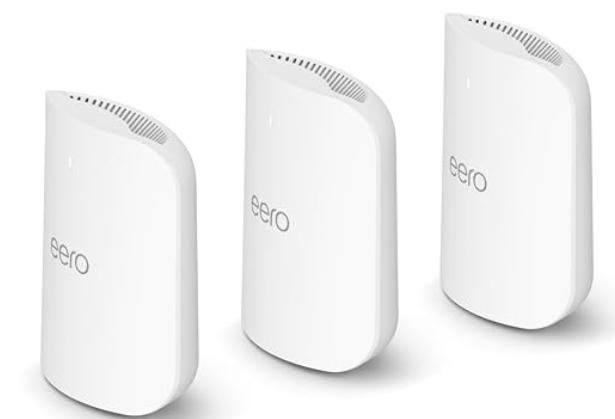
The Eero Pro 7 is the cleanest alternative if the TP-Link situation concerns you. Amazon-owned since 2019, WiFi 7 ready, genuinely excellent app experience with a setup process that’s arguably the easiest in the category. The trade-off is price — roughly $380-420 for a 3-pack puts it at nearly double the Deco — and the Eero+ subscription, which at about $10/month is necessary for features like content filtering and network activity history that competitors include free. Over two years the subscription adds another $240 to the cost of ownership. Worth knowing before you compare sticker prices. Buy eero Pro 7 https://amzn.to/4dq6kwH
The Netgear Orbi 770 is the power-user option. Faster real-world throughput than either TP-Link or Eero, more Ethernet ports per node, better configuration depth for people who want to actually manage their network. At around $500-600 for a 3-pack it commands a serious premium, and the setup is more involved. If you have a genuinely large home, work from home with high bandwidth demands, or are the kind of person who knows what VLAN means and wants to use it, the Orbi is worth the extra spend.
Google Nest WiFi Pro sits at around $300-350 for a 3-pack and is exactly as good as Eero for people who live in the Google ecosystem — Google Home devices, Chromecast, Android phones. The integration is seamless. For households without significant Google investment, it offers no particular advantage over the Deco at a meaningfully higher price.
The actual decision
If the TP-Link security situation is not a meaningful concern for your use case: Deco XE75 3-pack at around $180-220, full stop. The coverage is excellent, the setup is genuinely simple, the performance in real-world testing matches or beats systems costing twice as much, and the price advantage is substantial.
If the TP-Link situation does concern you, or if you’re in an Amazon household: Eero Pro 7. Budget for the subscription or accept its limitations. The hardware is excellent and the peace of mind is real.
If you have a large home and need serious performance: Netgear Orbi 770. It’s expensive and it earns it.
Two things that apply regardless of which system you choose: place your nodes in the open, not inside cabinets or behind televisions. Mesh signal needs line of sight more than you think, and an enclosed node is a constrained node. Also, keep the main node plugged into your modem via Ethernet — the wireless backhaul is good, but a wired connection to the first node is almost always better and it costs nothing if your modem is accessible.
The back bedroom in my last apartment got such bad WiFi that my laptop would fall back to my phone’s hotspot automatically, which I discovered by noticing my mobile data bill in a way that concentrated the mind wonderfully. The mesh system fixed this in twenty minutes and I have not thought about it since. That, more than any spec comparison, is the point of the product category.
Your internet plan is probably fine. Your router placement probably isn’t. That’s a solvable problem.