
My bedroom used to look like it was furnished by someone who had given up. Not in a minimalist, intentional way — in a beige walls, overhead bulb at full blast, visual texture of a hospital waiting room kind of way. I’d lived in it for three years without changing a single thing because changing things requires decisions and decisions require energy.
Then I spent $45 on a Govee LED strip and stuck it behind my headboard on a Saturday afternoon, and by Saturday evening I had a room that looked like I had taste. Warm amber glow behind the bed, reflected softly off the wall, controllable from my phone. My friends came over that weekend and asked if I’d redecorated. I had not redecorated. I had peeled some adhesive backing off a strip of LEDs and pressed it against wood.
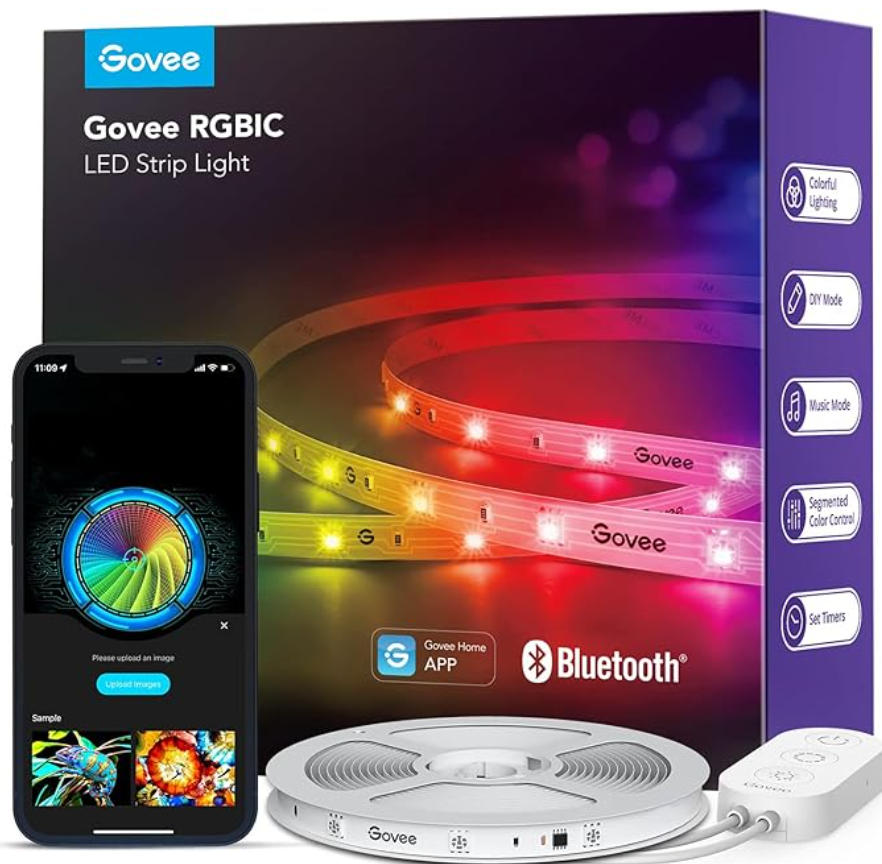
This is either a testament to how powerful ambient lighting is, or an indictment of how bare my room was before. Possibly both.
Buy Govee LED Light from Amazon
LED strip lights are genuinely one of the highest return-on-investment home upgrades available right now. For $30 to $100, you can transform the feel of a room in a way that $300 of furniture rearrangement often can’t. But — and this is a meaningful but — the market is full of traps. You can easily spend money on the wrong type, install it incorrectly, discover it won’t talk to your smart home system, watch it peel off your wall after four months, and end up with a frustrated relationship with a strip of blinking lights that cost you more than the electricity bill savings justify.
I’ve been through this cycle multiple times. Here’s what I’ve learned.
The jargon problem, which is the actual first problem
Before you can buy a Govee LED strip, you need to understand four acronyms that the product listings use interchangeably but which mean different things. Nobody explains them properly and this is where most wrong purchases originate.
RGB is the old standard. Red, Green, Blue LEDs. The entire strip shows one color at a time. You pick purple and the whole strip goes purple. Simple, cheap — Govee’s H6159 is the flagship RGB model, around $20-35 depending on length — and completely adequate if all you want is a single-color ambient light that you change occasionally.
RGBIC adds independent IC (integrated circuit) chips to each section of the strip. This is the difference between “the strip shows one color” and “the strip can show multiple colors simultaneously, flowing and changing independently.” A rainbow effect, aurora patterns, a gradient from orange to blue — these are only possible with RGBIC. The M1, the Strip Light 2, the Strip Light 2 Pro are all RGBIC models. They start around $40 for shorter lengths and go up from there.
Here is the critical fact that Govee buries in the FAQ: RGBIC strips cannot be cut. The IC chips controlling individual segments rely on a continuous circuit. Cut the strip and the chips lose their reference signals. The section after the cut goes dark or behaves unpredictably. RGB strips have cut points marked every few LEDs — trim it to fit, reconnect with a pin connector if needed. RGBIC strips are fixed at whatever length you buy. If you buy 16.4 feet and your installation spot needs 12 feet, you either deal with the extra 4 feet or you coil it somewhere inconspicuous and hope nobody looks behind your TV.
COB (Chip on Board) is newer and different from both. Instead of discrete LED beads spaced along the strip, COB uses a continuous phosphor coating with densely packed chips — the Govee COB Pro has 1,260 LEDs per meter, compared to the M1’s 60 per meter. The visual result is a completely seamless, spotless line of light with no dots or hot spots. It looks cleaner and more architectural than traditional LED strips, less like a party accessory and more like intentional interior lighting. The trade-off is that COB strips are generally dimmer at the same wattage and the color rendering can be less saturated. If you want the Instagram rainbow effect, go RGBIC. If you want something that looks like a professional lighting installation, consider COB.
Matter is a smart home connectivity standard and is entirely separate from whether the strip is RGB, RGBIC, or COB. Matter-enabled Govee strips — the M1 with Matter, the Strip Light 2, the COB Strip Light Pro — work natively with Apple HomeKit, Google Home, Amazon Alexa, and Samsung SmartThings. They don’t require a separate Govee hub and they integrate directly into your existing smart home routines. Non-Matter strips work through the Govee app via Wi-Fi or Bluetooth, and connect to Alexa and Google through the Govee skill — but they do not work with Apple HomeKit at all. If you have an iPhone and any Apple smart home devices, and you want the light strip to participate in your HomeKit automations: you need Matter. Non-negotiable.
The Govee app, which is both an asset and a dependency
Every Govee light strip, regardless of whether it also supports Matter, works through the Govee Home app. The app is free, reasonably well-designed, and contains more customization options than any normal person will ever use. You can set colors for each of 50 individual segments. You can create scenes tied to music. There’s a mode that syncs to what’s playing on a nearby speaker. There are preset scenes named things like “Jungle,” “Northern Lights,” “Deep Sea,” and, inexplicably, “Driving a Tank” — which I have tested out of pure curiosity and can confirm produces an experience that is not improved by imagining you are operating armored military equipment.
The app genuinely works well for direct control. Where it becomes a nuisance is in the smart home integration story for non-Matter devices. Connecting a non-Matter Govee strip to Alexa requires setting up the Govee skill in the Alexa app, ensuring both devices are on the same Wi-Fi network, and occasionally re-linking the skill when updates break the connection. This works, but it introduces a layer of occasional troubleshooting that you don’t get with Matter. I have re-linked my older non-Matter Govee strips to Alexa three times over two years. Each time took about ten minutes and a moderate amount of muttering.
The difference with Matter devices is dramatic. The M1 with Matter paired to Apple HomeKit in about forty seconds. I named it, it appeared in my home, and it has worked every single day since without any re-linking, re-pairing, or skill refreshing. If you’re starting fresh with smart lighting and you have any smart home devices at all, pay the extra $15-20 for a Matter-compatible model. It is the correct long-term decision and you will thank yourself in six months when your non-Matter friends are re-linking things.
The adhesive problem, which is real and under-discussed
I’m going to spend more time on this than most reviews do because it’s the primary source of buyer regret I see in comments and forums.
LED strip lights use adhesive backing — 3M VHB tape in better-quality strips, generic pressure-sensitive adhesive in cheaper ones. The good news: the adhesive works well when applied correctly to clean, smooth, non-porous surfaces at room temperature. The bad news: most installation surfaces are not optimally clean, not perfectly smooth, not always room temperature, and sometimes painted with a finish that the adhesive has strong opinions about.
Textured walls are difficult. Rough drywall is difficult. Freshly painted surfaces — where the paint hasn’t fully cured — can cause the adhesive to lift the paint when you eventually remove the strip. This has happened to me once, on a rental apartment wall, resulting in a small conversation with my landlord that I would prefer not to repeat.
Govee does provide 3M VHB tape on their M1 and higher-tier models, which is genuinely better adhesive than what budget brands use. But even good adhesive faces two enemies: heat and weight. Heat from the LEDs themselves softens adhesive over time. Strips installed close to the ceiling, where warm air accumulates, tend to peel faster than strips near the floor. Long horizontal runs on smooth surfaces hold better than corners and bends, where the strip’s natural rigidity fights the adhesion.
Practical guidance from my actual installations: clean the surface with isopropyl alcohol before sticking anything down. Let it dry completely. Press the strip firmly along its full length. For corners, buy Govee’s corner connectors ($8-12 on Amazon) rather than bending the strip — bending creates stress points that separate from the surface faster. For any surface you’re not confident about, use supplementary mounting clips, which Govee sells separately and which clamp around the strip to anchor it mechanically rather than relying entirely on adhesive.
One more thing: do not install LED strips on surfaces that get hot. Behind a TV generates some heat; this is fine. Inside a cabinet that gets direct sunlight is not fine. The adhesive will fail. The strip may overheat.
The specific models and what they’re actually for
The H6159 is where Govee built its Amazon dominance. Over 59,000 ratings at the time I’m writing this. $20-35 depending on length, RGB (single color at a time), connects via Wi-Fi and Bluetooth, works with Alexa and Google, does not work with HomeKit. For someone who wants inexpensive color accent lighting and doesn’t have any Apple smart home devices, this is still a perfectly fine choice in 2026. The app works, the colors are vivid, and the price is low enough that if you buy it and decide you don’t like LED strips, you haven’t lost much.
The M1 with Matter is what I’d recommend as the default starting point for most people buying their first real smart LED strip in 2026. $40-60 for 6.56 feet, $70-100 for 16.4 feet. RGBIC technology with 60 LEDs per meter — considerably denser than most competing strips, which is why it’s noticeably brighter. The brightness, honestly, surprised me when I first installed it. At full white, in my kitchen, it produced enough light to cook by without any other lights on. This is an LED strip. I could cook by it. Matter support means it works natively with every major smart home platform.
The 50 independently controllable segments on the M1 are what enable the multicolor effects, and they work as advertised. I’ve set mine to a gradient from deep blue at one end to warm white at the other, which follows the length of the underside of my kitchen cabinets. It looks like something a designer would charge for.
The Strip Light 2 Pro is the current flagship at $100-150 for 32.8 feet. RGBWWIC — five LED types including two white LEDs (warm white and cool white) for more accurate white light rendering. The LuminBlend technology is Govee’s system for more natural color transitions, and it does produce smoother gradients and more accurate pastels than the M1. The COB LED variant is at a similar price point and is the one to choose if you want spotless, architectural-looking light rather than the multi-segment color effects.
For TV backlighting specifically, Govee makes the Envisual TV Backlight series, which uses a camera on your TV to sample screen colors and replicate them on the surrounding strips in real time. I have this on my television and guests consistently think it’s something that came with the TV. It did not come with the TV. It cost $60.
Where to install them and what actually looks good
I’ve installed LED strips in eight different spots across two apartments. Here’s what worked and what was a mistake.
Behind a headboard: works beautifully. The strip reflects off the wall above the bed without being directly visible, creating a floating glow effect. Warm amber or soft pink are the settings I use 90% of the time. This is the installation that makes people ask if you redecorated.
Under kitchen cabinets: practical and aesthetic simultaneously. The Govee M1’s brightness is fully appropriate for task lighting here, not just ambiance. Set to warm white for cooking, switch to something softer when you’re eating.
Behind a TV: the classic. Works well, makes the viewing experience more immersive by extending color off the screen, reduces eye strain in dark rooms because it reduces the contrast between the bright screen and the dark surrounding wall. The Envisual backlight kit is designed for this specific use and is worth the premium over using a regular strip.
Along a ceiling perimeter (cove lighting): this one requires more planning but creates the most impressive visual impact. Govee sells longer strips for this. The strip goes on the top of a picture rail or crown molding if you have it, or on a small shelf built for this purpose, facing upward. The light washes across the ceiling. I’ve seen this done in living rooms and it looks expensive. It also requires more total length — a 12×14 foot room needs at least 52 feet of perimeter — and more cable management thought.
Gaming desk accent lighting: Govee is very popular in the gaming community and their desk and monitor strips come in short lengths designed for this. Good RGBIC patterns, music sync for when you’re playing something atmospheric, fine for this purpose if you like the aesthetic. Whether you need LED strips for gaming is a personal question I’ll leave to you.
Behind furniture you’re placing against a wall: this was my mistake. I installed a strip behind my bookshelf thinking it would create a nice glow. The bookshelf is 14 inches from the wall. The strip’s light hit the back of the shelf, not the wall. It illuminated a zone nobody looks at and produced a faint glow visible only from a specific angle while lying on the floor. I removed it after two weeks.
The actual purchase decision
For a first LED strip if you have any smart home setup at all: Govee M1 with Matter, whatever length fits your installation. Pay the extra $20 over a non-Matter model. The integration benefit compounds over the life of the product.
For budget-first, no smart home, just want color accent lighting: H6159. It works. It’s cheap. It connects to Alexa. Move on.
For TV backlighting specifically: Govee Envisual TV Backlight T2 or the equivalent current model. The real-time color sampling justifies the premium for this specific use case.
For clean, architectural ambient lighting without the rainbow aesthetic: Govee COB Strip Light Pro. The spotless light output is a fundamentally different aesthetic from the segmented RGBIC strips and works better for installations where you want the lighting to look intentional rather than decorative.
The one thing everyone should do regardless of which model: buy a slightly longer strip than you think you need. It is much easier to hide or coil six extra inches than to discover you’re three inches short and have to order another strip that won’t match perfectly at the joint.
The reason LED strip lights have become a genuine home staple rather than a gimmick is that they exploit something real about how spaces feel. A room with good ambient lighting feels warmer, larger, and more intentional than the same room under harsh overhead light. An architectural detail that costs $45 and an afternoon of installation can do what months of furniture shopping couldn’t.
The technology has matured. Govee is genuinely good at this, at prices that would have seemed impossible five years ago. The market is full of options and the wrong choices are real, but they’re mostly avoidable with a bit of prior thought about where you’re installing, what smart home ecosystem you’re in, and whether you want the rainbow effect or something more understated.
My bedroom is no longer beige and resigned. I changed that for $45 and a Saturday afternoon.
That still feels a little miraculous.