
This is a deep-dive review based on three weeks of using the MacBook Neo as a primary machine. If you’re a student, a parent, or someone just looking for a reliable “first Mac” without spending $1,000, this is for you.
For years, the advice for anyone wanting to buy their first Mac was simple: “Save up for the MacBook Air.” Anything cheaper was either an outdated design or a refurbished gamble. But in March 2026, Apple changed the script with the MacBook Neo. Starting at $599 (or $499 if you have a student ID), it’s the most aggressive price point we’ve seen from Apple in a decade.
But as a beginner, you aren’t buying “specs”—you’re buying an experience. Does it feel like a budget compromise, or does it feel like a real MacBook? After 21 days of using the “Citrus” model for everything from late-night Netflix binges to heavy Google Sheets work, here is the unfiltered truth.
1. First Impressions: Colors and “Hand-Feel”
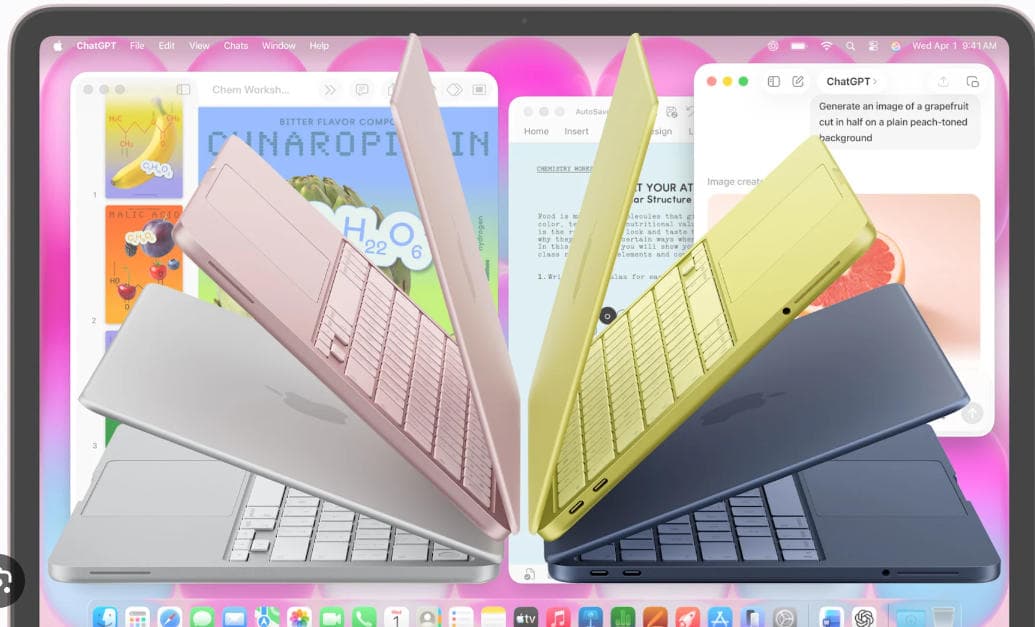
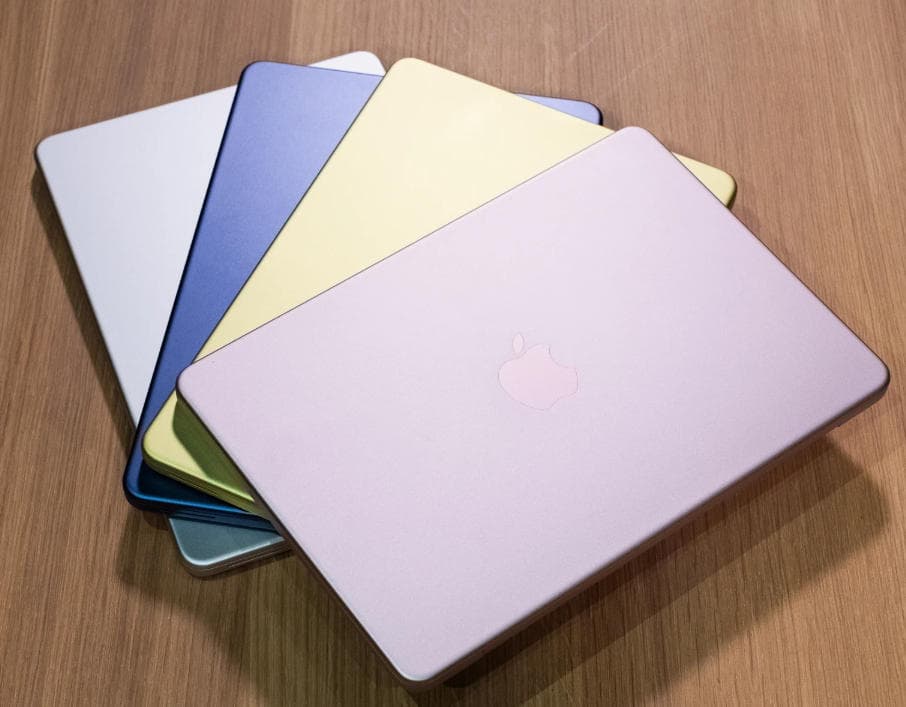
When you pull the Neo out of the box, the first thing that hits you isn’t the screen—it’s the color. Apple moved away from the serious “Space Gray” vibe here. I’ve been using the Citrus version, and it looks more like a piece of high-end stationery than a piece of tech. It also comes in Blush (pinkish), Indigo, and Silver.
The chassis is aluminum, and at 2.7 pounds, it’s incredibly light. I tossed it into a standard tote bag and honestly forgot it was there. For a beginner, this is the biggest “pro”: you will actually take this computer with you to coffee shops or class because it isn’t a brick.
The “Real World” Catch: The finish is a bit of a fingerprint magnet, especially the Indigo. And unlike the more expensive Pros, the edges are softer and more rounded. It feels “friendly.”
2. The Screen: Vibrant, but with a Limit
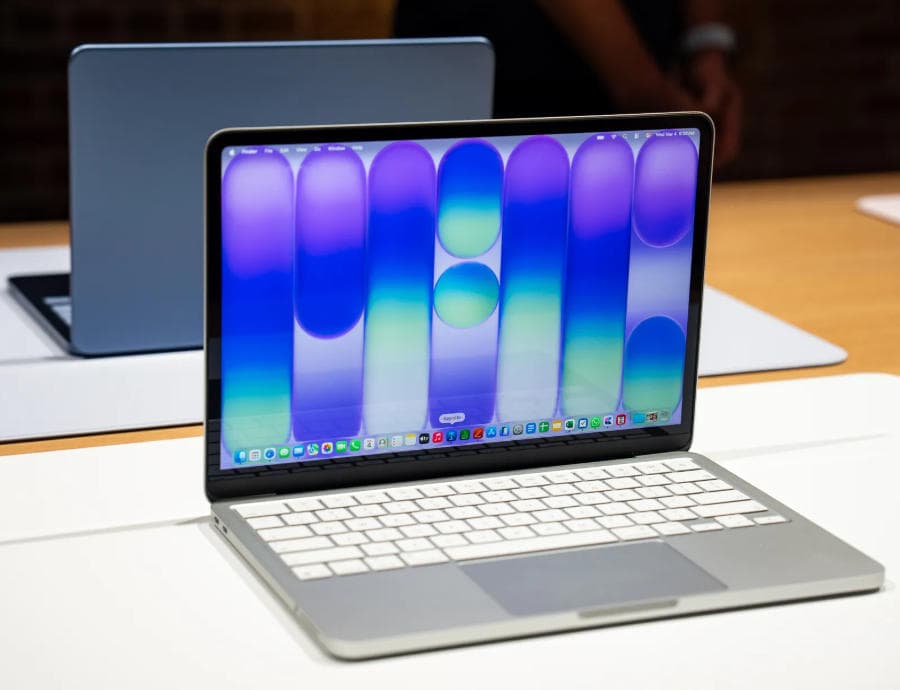
The Neo uses a 13-inch Liquid Retina display. If you’re coming from a $300 Windows laptop or an old Chromebook, this screen will blow your mind. The text is razor-sharp, and the 500 nits of brightness mean you can actually work near a window without seeing nothing but your own reflection.
However, if you’re a “couch user,” there is one quirk: the screen only tilts back to about 140 degrees. If you like to use your laptop while lying completely flat with your knees up, you might find yourself wishing it tilted back just a little bit more.
3. The Keyboard and the “No Backlight” Surprise
Let’s talk about the elephant in the room. To keep the price at $599, Apple made a few cuts. One of them—and this might be a dealbreaker for some—is that the Magic Keyboard on the base model is NOT backlit.
If you are a “hunt and peck” typer who works in dark dorm rooms or on overnight flights, this is a legitimate hurdle. You’ll be relying on the glow of the screen to see where the “M” key is. That said, the typing feel itself is excellent. It’s “snappy” and doesn’t have that mushy feel of cheap plastic keyboards.
Pro Tip for Beginners: If you can swing the extra $100 for the $699 model, you get Touch ID (the fingerprint sensor) which makes logging in and paying for things so much easier. The base $599 model requires a password every single time you wake it up.
4. Performance: The A18 Pro Mystery
The Neo runs on the A18 Pro chip—the same brain found in the iPhone 16 Pro.
For a beginner, what does this mean? It means speed where it matters.
- Web Browsing: You can have 20 tabs open in Safari (YouTube, Gmail, Amazon, Reddit) and it won’t stutter.
- Startup: It wakes up instantly. You flip the lid, and you’re working. No “Loading…” bars.
- Silence: There is no fan. It is 100% silent. You can push it as hard as you want and it will never make that “jet engine” whirring sound that old laptops do.
Where it struggles: Don’t buy this to be a professional 4K video editor or a hardcore gamer. It handles 1080p video editing in iMovie just fine, but if you’re trying to render a 30-minute documentary, the bottom of the laptop will get quite warm, and things will slow down to protect the hardware.
5. Battery Life: The “Charger-Less” Lifestyle
Apple claims 16 hours. In my real-world testing (looping YouTube, writing docs, and light photo editing), I consistently got about 11 to 12 hours.
For a beginner, this is life-changing. You can leave your house at 9 AM, go to classes or meetings, and not even pack your charger. I spent an entire Saturday at a park working on a blog, and I got home with 30% battery left.
6. The Port Situation (The “Dongle” Life)
The Neo has two USB-C ports on the left and a headphone jack on the right.
- Port 1: High speed (for fast hard drives or a monitor).
- Port 2: Slower (mostly for charging or a mouse).
If you still use “old” USB-A sticks (the rectangular ones), you will need an adapter. My advice? Spend $15 on a small USB-C to USB-A hub on Amazon the same day you buy the laptop.
7. Software: macOS Tahoe and AI
The Neo comes with macOS Tahoe. For a first-time user, it’s much more “iPhone-like” than previous versions. The Apple Intelligence features are built-in, which is actually quite helpful for beginners.
- Writing Tools: It can proofread your emails or change the “tone” of a letter from “angry” to “professional.”
- Photos: The “Clean Up” tool in the Photos app lets you tap on a stranger in the background of your vacation photo and vanish them instantly.
The Final Verdict: Who is this for?
Buy the MacBook Neo if:
- You are a student on a budget who needs a reliable machine for the next 4+ years.
- You are a parent buying a first “real” computer for a teenager.
- You primarily live in a web browser (Netflix, Google Docs, Social Media).
- You want the prestige and build quality of Apple without the $1,000+ price tag.
Skip the MacBook Neo if:
- You work in the dark (the lack of a backlit keyboard on the base model is tough).
- You do heavy gaming (it won’t run “Cyberpunk” or “Elden Ring” well).
- You are a professional creator (the 8GB of memory will feel tight very quickly).
The Bottom Line: The MacBook Neo isn’t “cheap”—it’s focused. It’s the best “Type A to B” machine on the market. It doesn’t have the bells and whistles of the Pro models, but it does the basics better than any Windows laptop at $599. If you’re a beginner, this is the front door to the Apple ecosystem you’ve been waiting for.
Pingback: Best AI Laptop in 2026: Are Copilot+ PCs Finally Worth It? – MayaReview